Motus AI — Tell your computer
what you want done.
Motus sees what's on your screen, works across your apps, and completes the task—from your first command to the final check.
Built for Mac · Voice-first · You stay in control
v0.3.9 · macOS 14+ (Apple Silicon & Intel) · Native PKG Installer
Today’s AI assistants stop at the answer. They can explain what to click, write something for you, or suggest the next step—but the actual work still falls back on you. You’re left moving between apps, finding files, copying information, and finishing every task yourself.
Motus turns your PC from a collection of apps into a computer you can direct. It understands what you mean, sees the context already on your screen, breaks a goal into steps, and uses the right combination of apps, files, system tools, and web resources to complete it. Whether you’re preparing for a meeting, organizing a project, researching a decision, or fixing broken code, Motus completes the task.
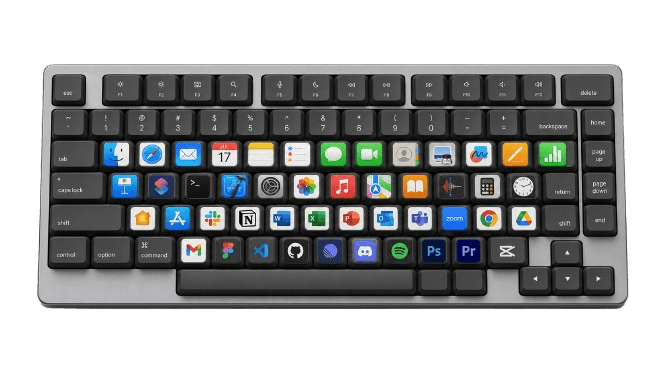
Motus isn't a browser extension, another chatbot, or software trapped inside a tab. It's a native AI execution layer for your computer—able to see your screen, understand your apps, use your keyboard and mouse, work with files, browse the web, run terminal commands, and move between tools the way you do. If it can be done on your Computer, you can tell Motus to do it.
One request can move
through your entire computer.
Most AI products are confined to a chat window, browser tab, or list of integrations. Motus works at the level of your Computer—using apps, files, system controls, the web, and developer tools together to complete whatever you ask.
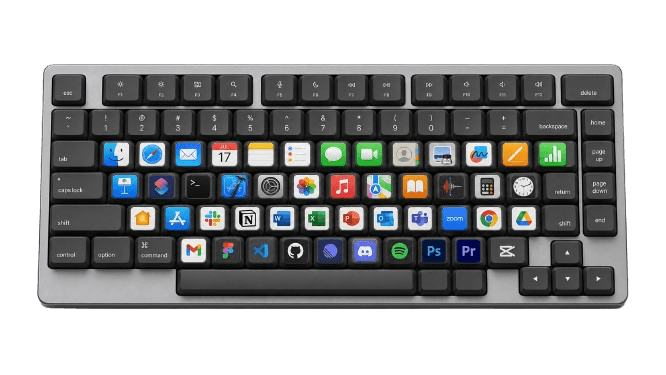
Every app becomes actionable.
Motus can open, navigate, type, click, search, and work across the applications already installed on your Computer—from Finder, Safari, and Notes to Slack, Spotify, VS Code, and beyond.

It understands what’s in front of you.
Motus knows which application is active and can understand the windows, controls, text, code, and errors currently on your screen. You can simply say, “Fix this,” “Explain this,” or “Show me where.”

Your work moves between apps.
One request can span your entire workflow. Motus can research something in Safari, find the relevant files in Finder, run a command in Terminal, and organize the result in Notes.

Your files are part of the conversation.
Motus can find, open, rename, move, group, and organize files using their meaning—not only their filenames. Ask it to find a project, clean up your Desktop, or collect everything related to a task.

Built to act, not just answer.
Motus turns your request into a sequence of real actions. It works through the task, keeps you informed, and shows you what changed—so the conversation ends with progress, not another set of instructions.
It doesn’t click blindly.
Motus chooses the most reliable way to complete each step. It can use native macOS capabilities, structured app controls, accessibility information, visual understanding, or your keyboard and mouse when necessary.
Ask anything.
Get anything done.
Use Motus to think, create, understand, or hand off the entire task.
And countless other ways to use Motus.
Prepare me for tomorrow’s product review.
Done. I found the Product Review on your calendar and prepared everything you’ll need.
- •Reviewed the latest project files in Finder
- •Collected recent decisions from Slack
- •Found the latest build and test results
- •Created a concise meeting brief in Notes
- •Added a reminder for 30 minutes before the meeting
Your briefing is ready and open in Notes.
See what happens when
your computer understands you.
From opening an app to completing work across several of them, Motus turns everyday language into real action.
Control your apps
Open, switch, search, navigate, type, and take action inside the applications already on your Mac.
Put your files in order
Work across applications
Understand and solve what’s on screen
Show you exactly where
Ask naturally. Motus handles the interface.
Changelog
For decades, people learned how to operate computers. The next era begins when computers learn how to work for people.
The computer, reimagined.
Motus Principle #01
Human intent over interfaces
Motus AI
Built for modern computer
Tell your computer what you want done.